
Short answer
Descriptive filenames give people useful search terms when content indexing is unavailable or incomplete. They do not fix every search problem: check permissions, search scope and indexing too. DNM helps you review structured names for files you import and save through the app.
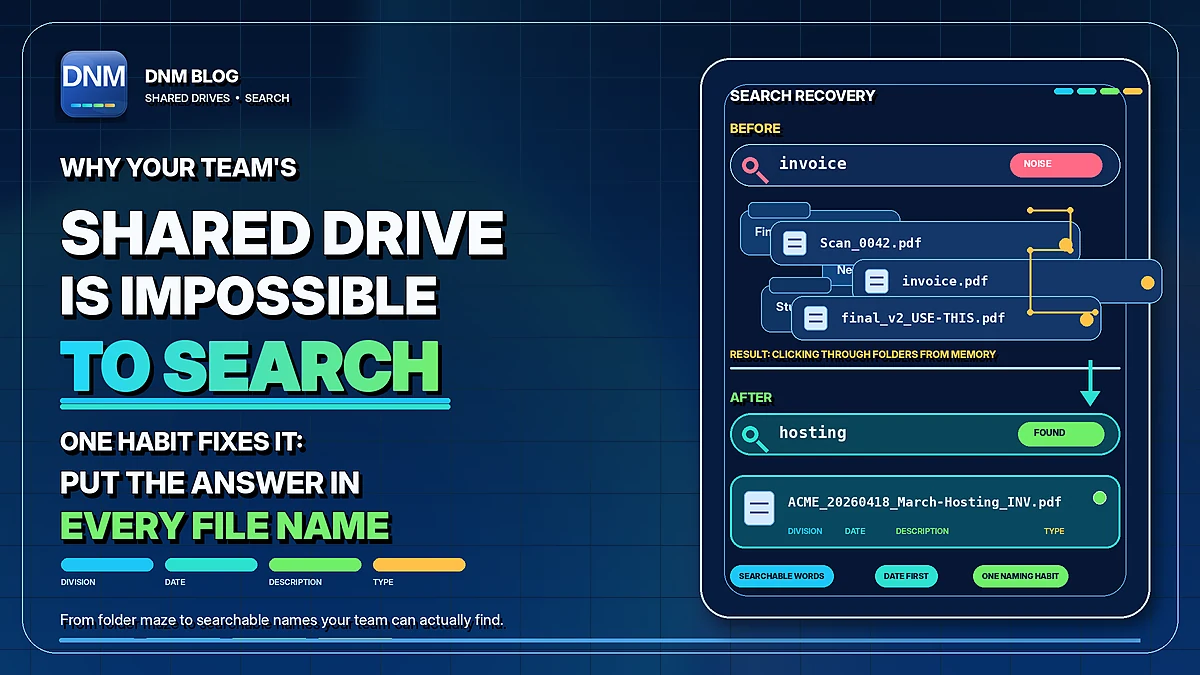
Why can't I find anything on my shared drive?
You open the shared drive, type "invoice" into the search box, and get back forty results, none of them the one you need. Or you get nothing at all, even though you know the file is in there somewhere. So you stop searching and start clicking: into Finance, into 2025, into a folder called New Folder, into a subfolder someone named Stuff.
A name such as Scan_0042.pdf gives little help to someone searching for a client or invoice. But a missing result can also reflect permissions, an unindexed location or the wrong search scope. Diagnose those issues alongside the naming convention.
Use folders and filenames together
Folders can organize work and support access boundaries. Descriptive names keep some of that context when a file is copied or attached to an email. Avoid unnecessary nesting and duplicate filing locations, but keep a structure colleagues understand.
How do you name a file so search can find it?
Write the name so the words you would search for are already in it. Not a description for you, today, who remembers the context. A description for a coworker, next year, who has none of it. The same discipline is what makes it possible to name files so you can actually find them.
For example, DNM's General standard uses these fields:
- Division: the client, case, property, or project the file belongs to, usually with a reference number.
- Date in YYYYMMDD form, so dates sort within matching Division prefixes when sorting by name.
- Description: a plain summary in real words, joined by hyphens.
- Type: a short code such as INV, RPT, or PHOTO.
After you verify the client, document date and subject, those fields could turn Scan_0042.pdf into:
ACME_20260418_March-Hosting_INV.pdf
The name supplies terms such as ACME, Hosting and March for a filename search. Results still depend on the search system and your access. The DNM naming standard explains each field.
Make the convention practical to use
Give the team a short reference, realistic examples and a clear review step. Check whether colleagues use the same client codes and date meanings. A consistent pattern is more useful than several slightly different interpretations of it.
A naming workflow is easier to follow when people can review a proposed name instead of recreating it from memory. To explore the possible value of shorter searches, try the Cost of File Chaos calculator with your own estimates. It models assumptions rather than measuring naming drift, actual losses or guaranteed improvements.
Where does DNM come in?
DNM suggests names from your selected standard and available inputs. Import a batch or enable Watch Folder to queue new files while DNM is running, then review the fields and save. Neither intake method applies a system-wide naming rule.
Use the suggestions to build a more informative collection, not as a substitute for checking the document's identity. A correct structure can still contain the wrong client or date if its inputs are wrong.
If your team has never agreed on a pattern, the free naming convention generator lets you build and preview one. DNM's naming workflow processes files locally without uploading documents to a naming service. You choose the save destination and review the proposed names. When you're ready to try it, the free 14-day trial needs no card.
Related reading
- How to name files so you can actually find them
- Why YYYYMMDD is the date format filenames need
- A file-naming convention small teams actually keep
- Your file system is a productivity tax
- Cost of File Chaos calculator
- The DNM file naming standard
- File Name Chaos Analyzer
Common questions
Will better filenames fix every shared-drive search problem?
No. Permissions, indexing, search scope and the search tool itself still matter. Descriptive names provide additional terms to search for.
Does DNM index the whole shared drive?
This workflow names files brought into DNM. It is not a replacement for your shared-drive search service or its index.