

A place for order.
A name for
every file.
Bring a little calm to your folders. Create consistent file names with naming rules you control, locally, with DNM for Windows.
14 days free · No credit card · Windows 10 / 11
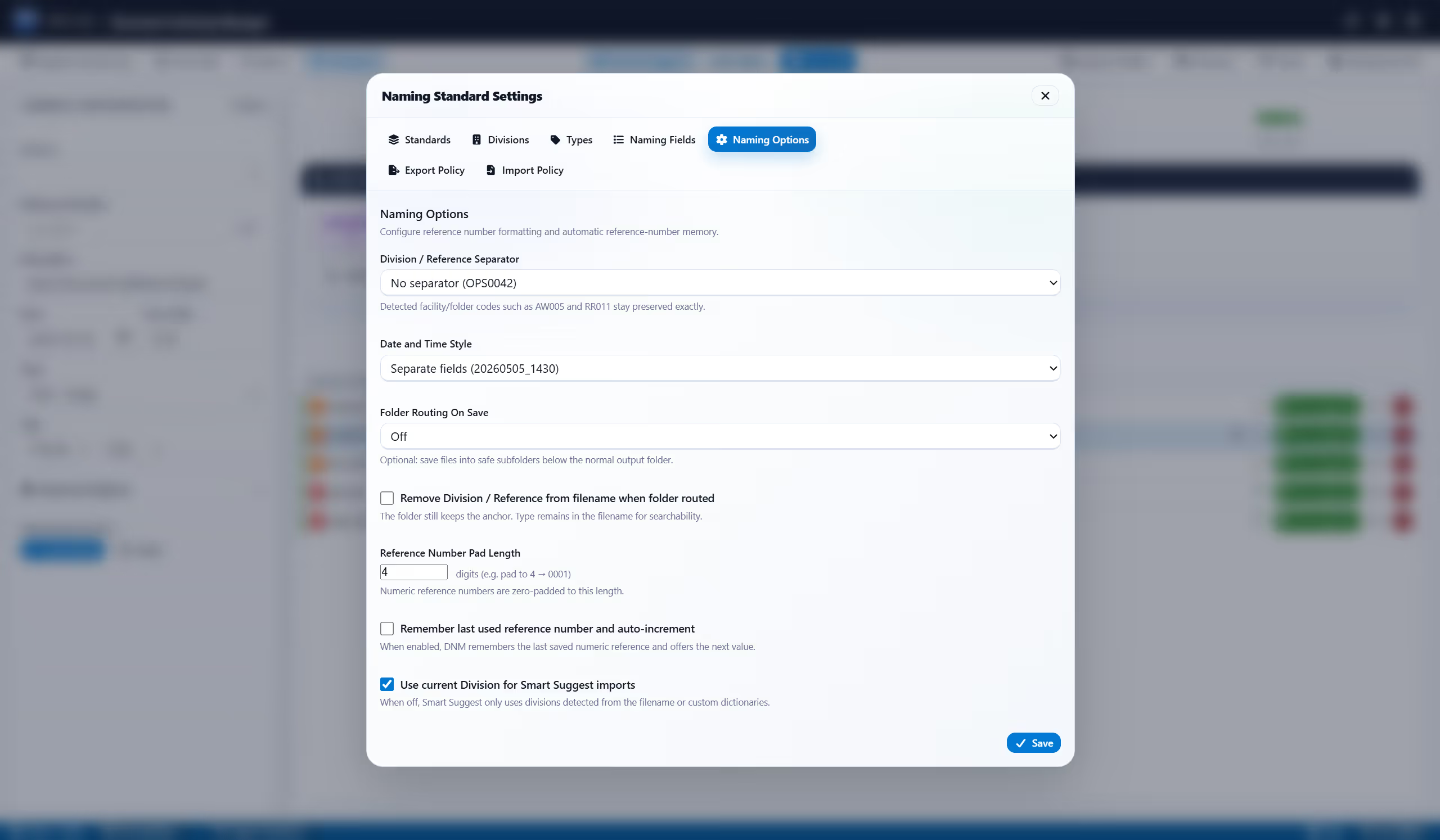
Before: Invoice final (2).pdf. With DNM: Maple-Court_20260919_Plumbing-Repair_FIN.pdf. This illustrative invoice is dated September 19, 2026. The project reference comes first, followed by the compact date, hyphenated description, uppercase financial document type, and original PDF extension.
No cloud. No AI guessing. No upload.
Built at Falcrex Systems Inc in Vancouver, BC by Brendan Foote and Jason Chan. Meet the team
What a clean name looks like in your line of work.
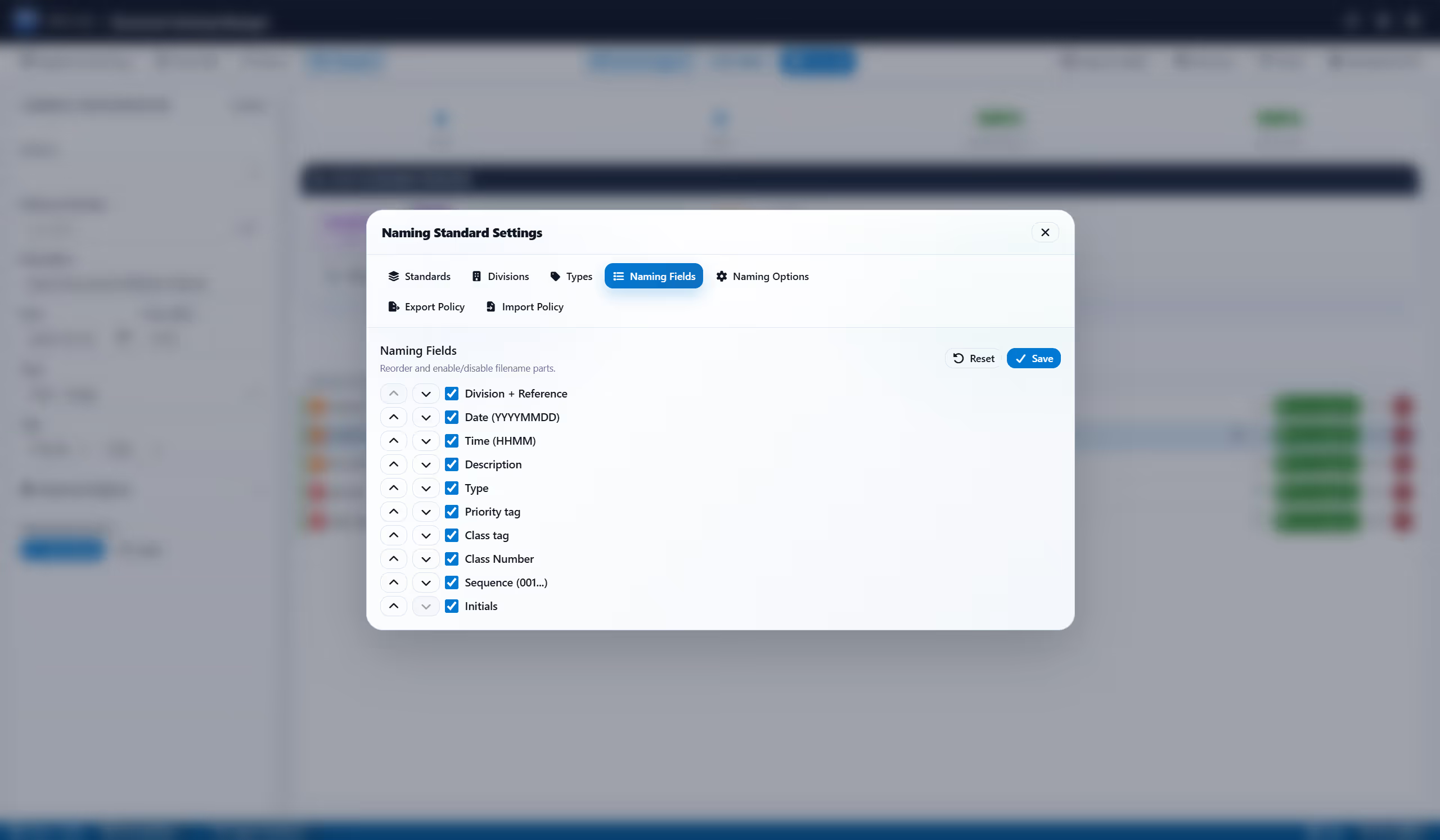
Each standard sets its own field order, so a pleading and a strata invoice can follow different patterns. Pick the one that matches your work, then review the proposed names before saving.
Drop files, review Smart Suggest, save safely, undo if needed.
Drop files in, or point DNM at a Watch Folder so new files are detected and queued as they land, ready for review.
DNM suggests a clean name from your standard. Deterministic, offline, no AI guessing.
Check the preview and the Microsoft 365 Safe check that flags risky names, handle collisions, then save with confidence.
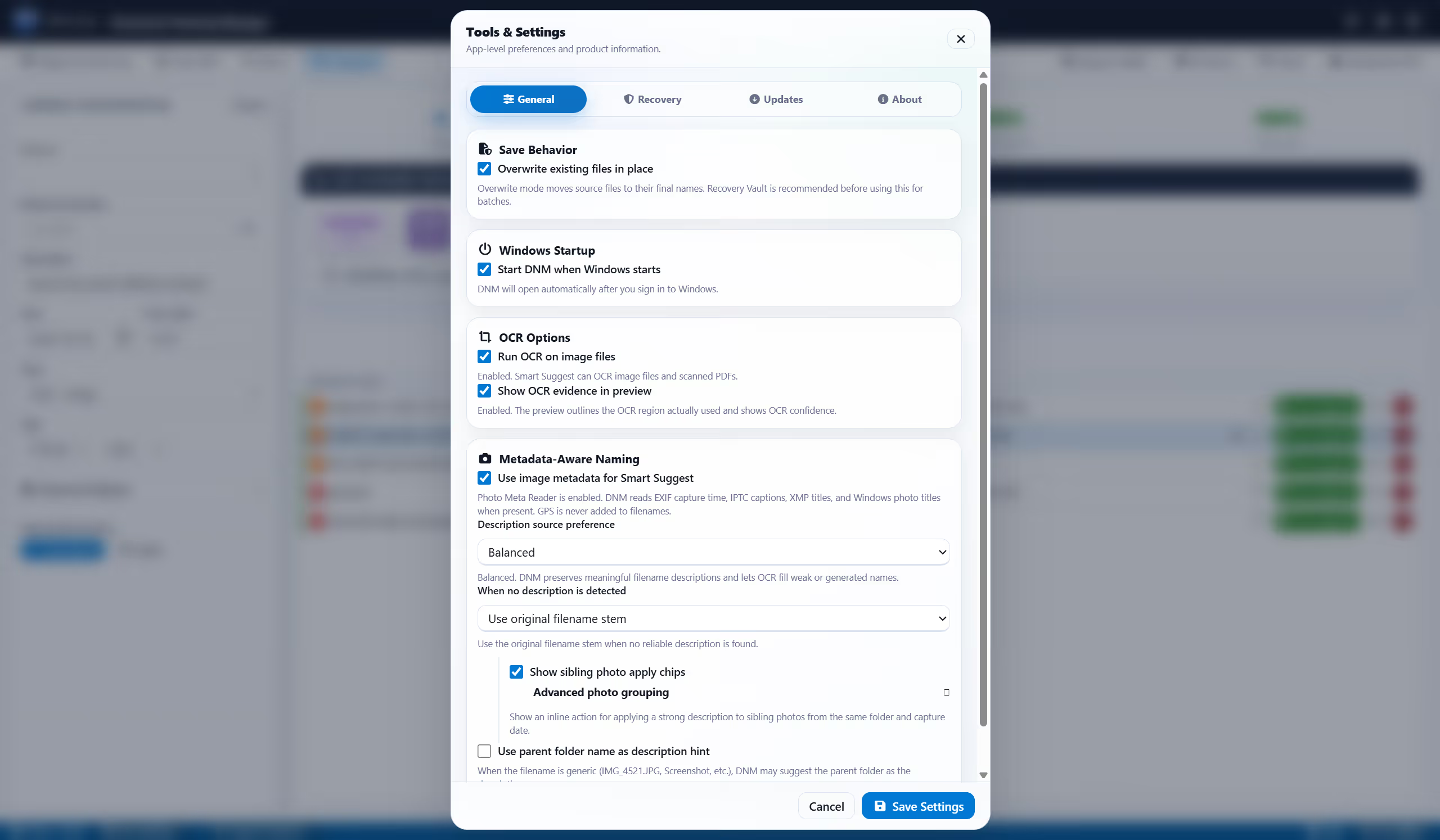
Recovery Vault can undo eligible recent saves, with configurable retention up to seven days. Availability depends on your settings and storage limits.
Name a file in seconds, right from your desktop.
Drop a file, review the suggested name, and save. Document Naming Manager runs as a local Windows app, no browser, no cloud.
Select any screenshot to view it full screen.

What could shorter file searches be worth?
Explore a scenario using your team's search time and hourly labor rate. The calculator starts with a 40% example reduction, adjustable from 0% to 100%, and compares potential labor value with modeled license fees. These are assumptions, not measured DNM results or guaranteed cash savings.
Naming standards your team will actually use.
Twelve built-in standards covering legal, strata, accounting, investigation, the Agent-Ready Archive, and more. Pick one, adjust it, then review the suggested names before saving.
Already have a renamer? Keep it.
PowerRename, Bulk Rename Utility, Advanced Renamer, and ReNamer support different batch-renaming workflows. DNM offers structured document fields and saved standards for files you review and save through the app. Explore where each approach fits.
Questions people ask before they install.
Do my files ever leave my PC?
No. Naming, OCR, and previews all run on your own machine. DNM uses the internet for trial or license activation, periodic license verification, and update checks or downloads. These requests do not upload your files or filenames.
Does DNM use AI to name files?
Smart Suggest builds consistent, reviewable names from your saved rules without a generative model. DNM also checks known AI-generation metadata locally. A flag is a cue to review, not proof of origin; no flag does not prove a file was human-made.
Will the names survive SharePoint and OneDrive?
That is what the Microsoft 365 Safe check is for. DNM strips the characters Windows and SharePoint reject, and it warns you before a path runs past the length limit. It's DNM's own check rather than a Microsoft certification, so test your own migration too.
Can I undo a rename?
Recovery Vault can undo eligible recent saves, with configurable retention up to seven days. Availability depends on your settings, storage limits and unchanged files. Keep your normal backups.
Do I have to rename everything I already have?
No. You can start with new incoming files and review older folders later. Import the files you want to rename, check the suggestions and save when ready.
Does it run on a Mac?
Not yet. DNM is Windows 10 and 11, 64-bit.
Tame your files. For good.
Point DNM at the folder that bothers you most and see what the names look like on the other side.
14-day trial, no card. Windows 10 and 11, 64-bit.