
Short answer
The 12-character rule is a brevity guideline, not a hard limit: aim for a short Description made of specific, searchable words. Use more characters when clarity needs them.
A shorter name leaves more room in the full path, but neither twelve characters nor a folder's file count guarantees path-length compatibility. DNM helps you review names against your selected standard before saving.
Why think about length as a collection grows?
A small folder may be easy for its owner to recognize, but names such as deck_new.pptx tell a colleague little. As files accumulate, specific descriptions and consistent fields make the list easier to interpret. The goal is not the shortest possible name; it is enough context without needless repetition.
What does a filename that scales look like?
DNM suggests names from the fields and order of the chosen standard. A General-standard example is:
Division_YYYYMMDD_Description_TYPE_001.ext
- Division is the thing you search by first: a client, case, property, project, or claim, usually with a reference like Acme-Corp. It leads the name so related files group together.
- YYYYMMDD is a sortable date (20260424), so name sorting orders dates after matching Division prefixes.
- Description is plain words joined by hyphens that say what the file is. This is the segment the 12-character rule is about.
- TYPE is a short code such as INV, RPT, PHOTO, LGL, DOC, or CORR.
- 001 is an optional sequence number, and the extension is preserved.
An example reads like this:
Acme-Corp_20260424_Board-Minutes-Q2_DOC_001.docx
Your standard defines the field structure; you still choose the appropriate Division, date, type and other values. The Description needs particular care because it distinguishes documents that otherwise share those fields.
The 12-character rule
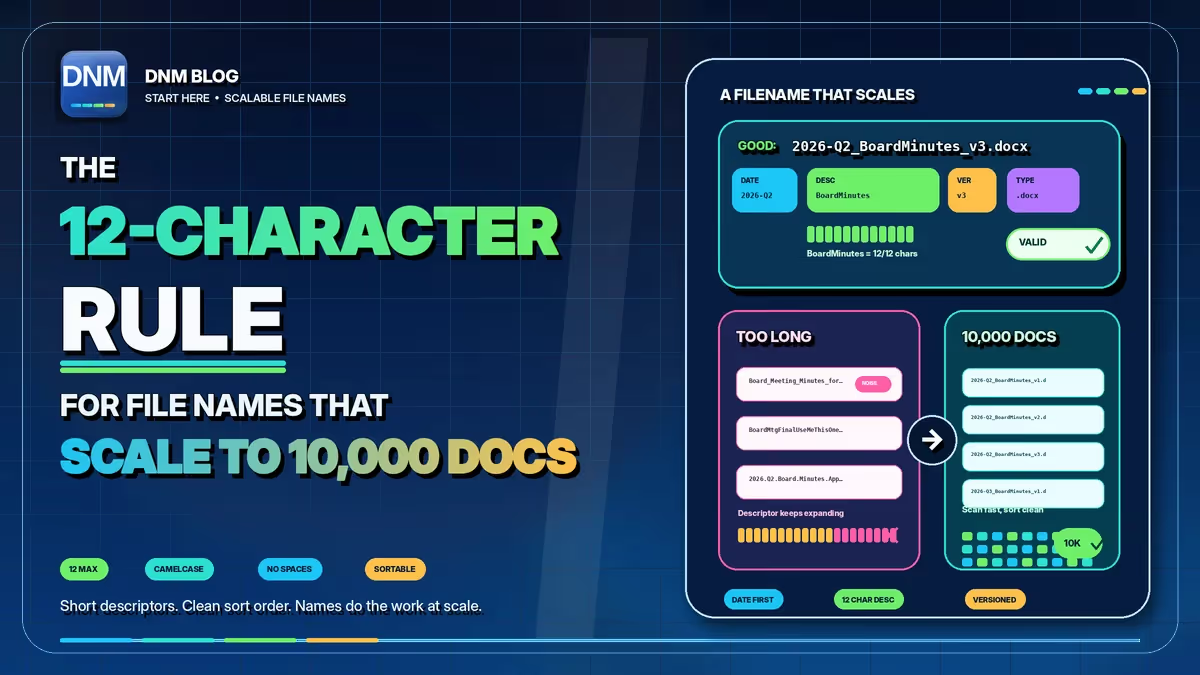
Keep the Description to about a dozen characters of real, specific words joined by hyphens: Board-Minutes, Sales-Report, Leak-Repair, Onboard-Deck. Short and concrete beats long and vague. The exact count isn't sacred; the discipline is. These are examples of brief descriptions, not strings that all contain exactly twelve characters.
Why keep the Description short?
- Short names are faster to scan. A short description can be easier to distinguish in a narrow column. A complete structured filename may still exceed forty characters; that is not inherently a problem.
- Brevity forces specificity. Remove redundant words, but keep distinctions that matter. Board-Minutes-Q2 may be more useful than Minutes, even though it is longer. Do not shorten names into codes that colleagues cannot interpret.
- It leaves more room in the path-length budget. The complete path includes the folders above the filename, and limits vary across Windows applications and Microsoft 365 workflows. A short Description helps but cannot guarantee a valid path. Check the intended destination too; our guide explains the 260 versus 400 path-length problem.
Names that scale, and names that do not
These three don't scale. They're long, inconsistent, or vague, and at volume they become noise:
Board_Meeting_Minutes_for_Q2_2026_Approved.docxBoardMtgFinalUseMeThisOne.docxBD_03_FINAL.docx
These examples are easier to scan: the Division groups related files, the date sorts within that group, and the Description stays specific. Large collections still need a suitable folder structure and path checks:
Acme-Corp_20260401_Board-Minutes_DOC_001.docxAcme-Corp_20260401_Board-Minutes_DOC_002.docxAcme-Corp_20260701_Board-Minutes_DOC_001.docx
Keep the date format consistent too
DNM uses YYYYMMDD. When the fields before the date match, name sorting puts 20260401, 20260701 and 20270101 in chronological order. This requires sorting by name; a view sorted by Modified uses different information.
How do you apply the rule consistently?
A written standard is easier to follow when users can check a proposed name before saving. Keep the guidance available and use the same naming workflow on the PCs that handle incoming files.
- Written guidance. Define the fields and include realistic examples and exceptions.
- Folder structure and periodic review. Check whether the convention still makes sense for the files people are handling.
- A saved standard with a review step. A naming tool proposes structured fields so the user can check them before saving.
That last option is what DNM does. It suggests names for imported files from saved fields and checks common Windows and SharePoint naming restrictions. Review the suggestions before saving. Naming runs locally without uploading documents to a naming service. You can design your own naming format with the generator or download DNM and try it free for 14 days, no card required.
The short version for whoever signs off on it
A naming standard can make files easier to identify when users apply it consistently. To explore a savings scenario using your own estimates, our cost-of-file-chaos calculator shows the effect of your assumptions, not measured savings. Keep the Description specific, use a sortable date and check the proposed name before saving.
Related reading
- How to name files so you can actually find them
- Why YYYYMMDD is the date format filenames need
- How the Strata naming standard came together
- A naming convention small teams will keep
- Free naming convention generator
- The DNM file naming standard
- File Name Chaos Analyzer
Common questions
Is twelve characters a DNM validation limit?
No. It is a brevity guideline for the Description, not a hard application limit or a requirement to sacrifice meaning.
Does a short Description guarantee a valid path?
No. The complete filename and every parent folder contribute to the path, and the relevant limits depend on the destination and applications.