
Short answer
In DNM, use drag-and-drop when a person hands you a batch of files, and use a Watch Folder when a machine produces files on its own schedule. The deciding factor is the source, not the file count.
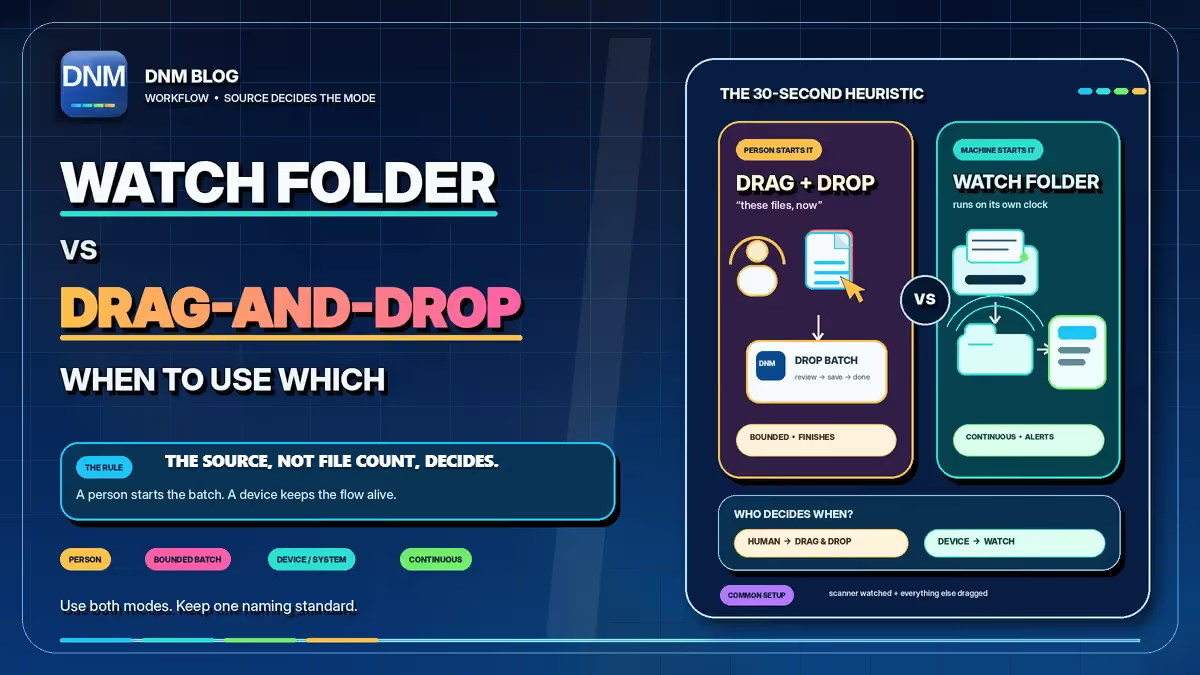
A coworker emailing you scans is a one-time event, so you drag those in. A scanner that runs whenever someone presses Scan can benefit from a watched intake folder, with new files queued for review while DNM is running.
How does each intake mode actually work?
Drag-and-drop is bounded. A coworker emails you a batch of scans, you save the attachments, select them, and drop them onto DNM. It reads each file, suggests a name that follows your standard, and waits for you to review and save. This batch has a beginning and an end. You finish it and move on.
While DNM is running with Watch Folder enabled, it detects and queues new files from the selected folder. DNM suggests names against your saved standard and holds them for review. Check the fields and save when ready; queuing a file does not rename it.
The thirty-second heuristic
- A person decided "these files, now": the intake is event-driven, so drag-and-drop.
- A device or system produces files on its own clock: the intake is continuous, so point a Watch Folder at it.
Why does the source decide the mode?
Think about timing. The coworker who emails you scans sends 12 files at 10am and another 8 after lunch. A Watch Folder may be unnecessary for those occasional batches and adds an intake folder to configure. Drag-and-drop matches the rhythm: files show up when a person sends them, and you pull them in when you're ready.
A scanner inverts that. It produces files at unpredictable moments, whenever someone walks up and presses Scan. Without a Watch Folder, those scans collect in the scanner's output folder until someone imports them. Aim a Watch Folder at that output folder and new scans can enter the naming queue, so files may be ready for review when you return. Confirm pickup in your own setup.
The same logic extends past scanners. An email gateway that drops attachments into a folder, an export from another firm system, anything that runs without a person saying "okay, time to import these" belongs on a Watch Folder. If a human is in the loop deciding when, drag-and-drop is enough.
What are the two mistakes to avoid?
Watching a sync folder directly. A sync client and a watcher can interact in ways that need testing, including partially available files and delayed changes. DNM waits for a file to stop changing size before it imports, which guards against grabbing a half-written file, yet a sync client can still touch a file in ways that delay or confuse pickup.
A separate local intake folder containing fully available files is easier to test. Do not assume that your sync client automatically stages completed files there; define that transfer step if you need it.
Reaching for Watch Folder on a one-off. Inherit a folder of 4,200 files from a predecessor and your instinct might be to watch it. For a one-time cleanup, drag-and-drop is usually simpler. Review the batch before saving. A Watch Folder earns its keep on the recurring trickle of inbound files, not on a single migration you'll never repeat.
One guardrail is built in: DNM won't let a Watch Folder and its output folder overlap, because that could create a loop where renamed files get re-detected and queued again. Keep the two in separate folder trees.
A practical starting setup
One practical setup is one Watch Folder aimed at the scanner output and a daily drag-and-drop pass for everything else. Both modes use your selected naming rules, so a file comes out in your chosen standard's pattern, Division_YYYYMMDD_Description_TYPE_001.ext in the General standard, whether you dragged it or it arrived on its own.
If you haven't pinned down those rules yet, start with the DNM Standard and shape a pattern your team will actually follow with the naming convention generator. When you're ready to put it to work, download DNM and start a free trial. Naming runs locally without uploading documents to a naming service, as the trust page explains. You choose where to save the results.
Related reading
- How to name files so you can actually find them
- A file-naming convention small teams actually keep
- Why I built DNM before EMP
- How DNM works
- The DNM file naming standard
Common questions
Does Watch Folder rename files as soon as they arrive?
No. While DNM is running with Watch Folder enabled, new files are queued for review. You check the suggestions and save when ready.
Can the Watch Folder and output folder overlap?
No. Keep them in separate folder trees so saved output cannot feed back into the intake queue.