
Short answer
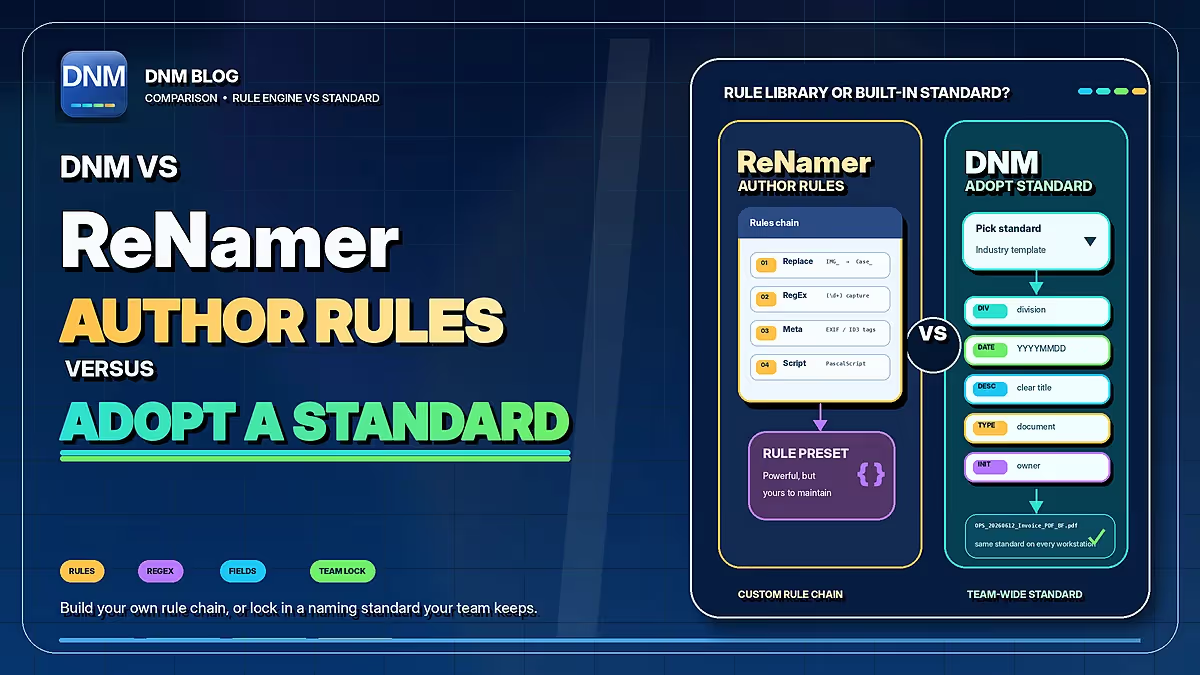
ReNamer suits users who want to construct reusable transformation rules. DNM offers a starting structure of document fields and built-in standards. The choice is about the workflow you want to maintain, not whether one tool can be consistent and the other cannot.
| Workflow | DNM | ReNamer |
|---|---|---|
| Naming approach | 12 built-in standards plus custom fields | Combine rename rules, metadata tags and optional Pascal scripts |
| Review | Review suggested names, then save | Preview proposed names before renaming |
| Repeated work | Saved presets and policy import/export | Save, reload and transfer named rule presets |
| Batch automation | Watch Folder queues files while DNM runs; you review and save | Presets can also be used through the command line |
| Recovery | Eligible recent saves only; retention up to 7 days, subject to settings, storage limits and unchanged files | Check the selected operation's undo limits; keep backups |
| Choosing a tool | Try document fields and built-in standards | Try reusable rule chains or scripting for a defined transformation |
Documented workflows, not a performance ranking. Review settings and proposed names, and keep normal backups. Checked September 22, 2026. ReNamer documentation · DNM features · DNM pricing
ReNamer's strength is a reusable rule chain
den4b's ReNamer combines ordered rules, named presets, regular expressions and Pascal Script. It can use file metadata, including document and media properties. Saved presets let you repeat a transformation on later batches instead of recreating it.
For example, a technical user could maintain rules that remove an export prefix, normalize a date and append a counter. That flexibility is useful when the source names and required changes are well understood.
The Lite and Pro comparison lists five-rule and five-preset limits for Lite. Review the vendor's licensing terms for your intended use rather than assuming the free edition covers a business deployment.
DNM starts with the fields you want to review
Choose a built-in standard or configure a policy, then review the proposed Division, date, type and description. The standard determines field order; you supply or check the values. You can preview the structure in the generator.
For example, a photo could retain its format while becoming STRATA1234_20260424_PHOTO_Roof-South-Corner.jpg. The property reference, date and description must be checked against the actual file.
Watch Folder can queue new files while DNM is running, but it does not rename them unattended. Users review and save. Teams still need to configure each PC and maintain their shared policy.
Both approaches need an owner
A rule chain needs someone to understand and update it. A DNM policy needs someone to choose the fields, document their meaning and distribute the intended configuration. Built-in standards provide a starting point, not a guarantee of correct input or team compliance.
DNM's naming and supported OCR run locally without document uploads to a naming service. Its checks cover common naming and path restrictions; they are not Microsoft certification. We do not make a blanket claim here about every network connection made by third-party software.
Which is a better fit?
Evaluate ReNamer if custom transformation logic and scripting are central to your work. Try DNM if a field-based review is easier for the people naming your documents. Existing ReNamer scripts do not directly import as DNM policies; keep the original rules as a reference when evaluating a replacement.
See DNM's features, plans and Windows trial. You can retain a specialist batch tool alongside DNM where it remains useful.
Common questions
Can ReNamer reuse saved rules?
Yes. ReNamer supports named presets and ordered rule chains. Edition limits are listed by the vendor.
Can DNM import a ReNamer script as a policy?
No direct conversion is provided. Configure a suitable DNM standard and test the result against the requirements represented by your existing rules.
Sources checked September 21, 2026. This is a documented-workflow comparison, not a head-to-head performance test. Products and terms can change. Third-party names belong to their owners; Falcrex Systems Inc is not affiliated with or endorsed by them.