
Short answer
Bulk Rename Utility gives Windows users extensive controls for transforming filenames. DNM offers a field-based document-naming workflow. Both can support repeated batches; neither removes the need to check that the names mean what you intend.
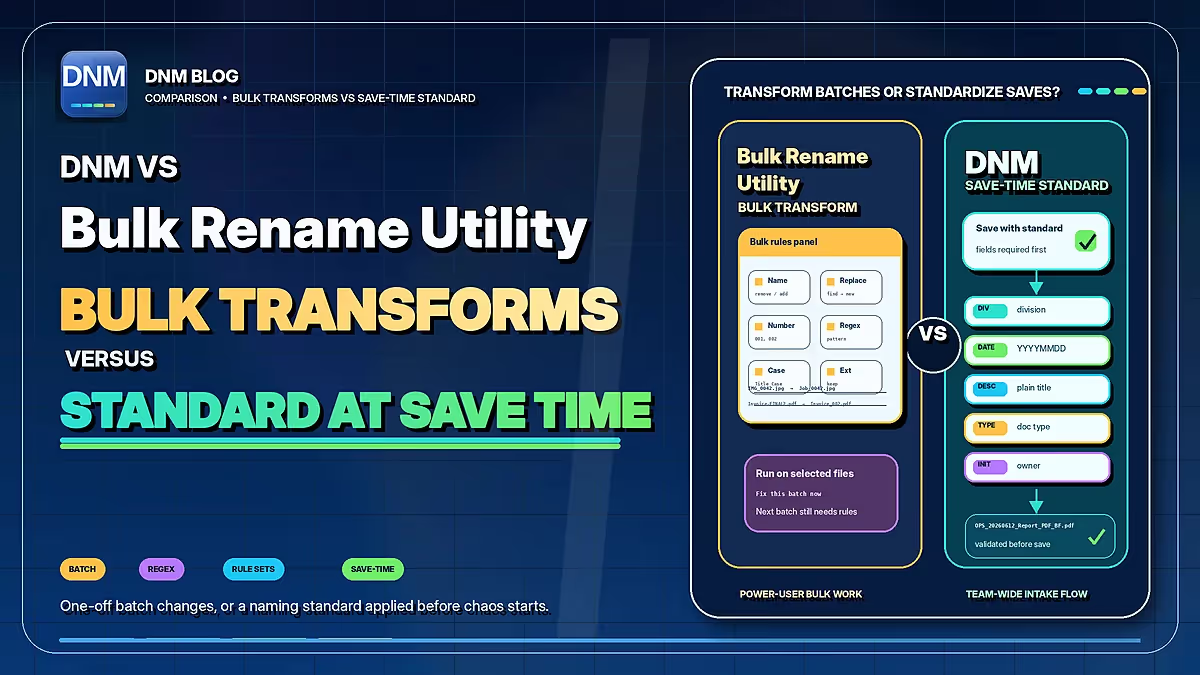
| Workflow | DNM | Bulk Rename Utility |
|---|---|---|
| Naming approach | 12 built-in standards plus custom fields | Combine filename transformations, numbering and metadata rules |
| Review | Review suggested names, then save | Preview changes before renaming |
| Repeated work | Saved presets and policy import/export | Save favourite rule configurations for reuse |
| Starting a batch | Watch Folder queues files while DNM runs; you review and save | Select files and configure or load the required rules |
| Recovery | Eligible recent saves only; retention up to 7 days, subject to settings, storage limits and unchanged files | Undo support; check the vendor's limits and keep backups |
| Choosing a tool | Try named document fields and a saved standard | Try flexible batch transformations when they fit the task |
Documented workflows, not a performance ranking. Review settings and proposed names, and keep normal backups. Checked September 22, 2026. Bulk Rename Utility documentation · DNM features · DNM pricing
What Bulk Rename Utility offers
The official feature list includes text replacement, numbering, dates, regular expressions, JavaScript, photo and audio metadata, and folder processing. You can preview changes, save criteria as favorites and generate an undo batch file.
That makes it useful when the task is a defined transformation: remove a repeated prefix, normalize existing numbers or build names from known metadata. Saved favorites mean you do not have to recreate a working configuration for every batch.
The vendor permits free personal, private use at home and requires a commercial license for business use. Some features also depend on the license. Check the current vendor terms before deploying it.
Where DNM differs
DNM starts with a selected document standard and fields such as Division, date, description and type. Import files, inspect the suggestions and save. Optional Watch Folder intake queues new files for review while DNM is running.
For a team, agree on field meanings and configure each PC. A saved standard is not automatic central enforcement. A new colleague needs the right configuration and instructions with either approach.
See the DNM standard or preview fields in the generator. DNM is not an open-ended regular-expression or scripting workbench.
Microsoft 365 checks are one part of the decision
A rule-based renamer can be configured to remove unwanted characters or shorten selected text. DNM provides checks for common Windows and Microsoft 365 naming and path restrictions in its own workflow. Those checks do not certify a migration or validate a later move by another tool.
Test the full destination and preserve a backup before bulk changes. DNM's Recovery Vault can reverse eligible recent saves with configurable retention up to seven days, subject to settings, storage limits and unchanged files. If another tool changes a saved file, it may no longer qualify for recovery.
Choose the interface that fits the work
Use Bulk Rename Utility when its transformation controls fit your batch. Evaluate DNM when reviewing document fields is more practical than maintaining transformation rules. They can be used for separate tasks, but avoid simultaneous changes to the same files.
Read the other comparisons, check DNM plans or test the Windows trial.
Common questions
Can Bulk Rename Utility save renaming criteria?
Yes. It supports favorites for reusable criteria, along with preview and an undo batch-file option.
Does adding a second team member make DNM necessary?
No. Choose based on the workflow and the controls users need. Both tools require configuration and an understood review process.
Sources checked September 21, 2026. This is a documented-workflow comparison, not a head-to-head performance test. Products and terms can change. Third-party names belong to their owners; Falcrex Systems Inc is not affiliated with or endorsed by them.